Features Coach 7 Lite
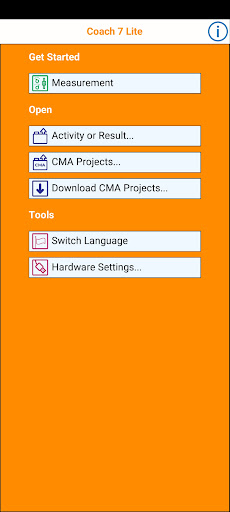
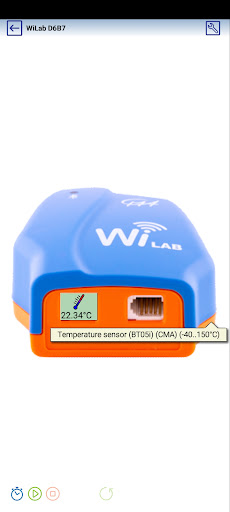
Coach 7 Lite App is a limited version of Coach 7 App, which supports measurements via CMA interfaces: - VinciLab data-logger (wireless via Wi-Fi) - €Sense, €Lab, CLAB and CoachLab II+ via a USB port.
For connecting an interface a Micro USB OTG hub or cable is required.Additionally this app allows working with an internal accelerometer.Key Features – General - Multilingual user interface - Tutorial Activities to learn how to work with Coach Lite - Sharing Activities with other Apps e.g.
MailKey Features – Measurement - Measure and record data via the CMA VinciLab data-logger (wireless via Wi-Fi) - Measure and record data via the USB CMA interfaces such as €Sense, €Lab, CLAB and CoachLab II+.
For connecting an interface a Micro USB OTG hub or cable is required (only for tablets equipped with a USB port)- Measure and record data via an internal accelerometer - Time-base, Event-base and Manual measurements incl.
triggering.- Sensor recognition.
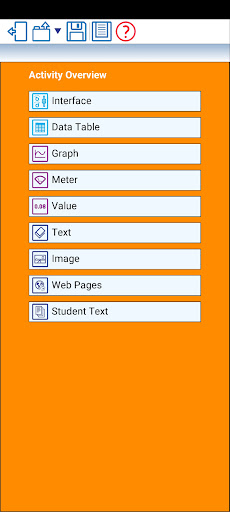
- Sensor calibration.Key Features – Data Analysis - View collected or generated data in a table- Visualize data in real-time in customizable graphs, meters and values- Draw own graphs - make predictions - Analyze the data with analysis tools such as Zoom, Scan, Slope, Area, Function Fit, Derivative and Select/Remove data.
CMA has been innovating science classrooms since 1987 with products for ICT-based learning, adopting the popular inquiry-based learning approach.
The Coach software is one of main components in the CMA line-up of interfaces, sensors, software and teaching materials.
Social Features
Connect and share with friends and the community.
Productivity Tools
Boost your productivity with powerful tools and features.
Learning Tools
Enhance your learning experience with interactive features.
See the Coach 7 Lite in Action
Get the App Today
Available for Android 8.0 and above